Google Photos Debuts New AI-Powered Video Editing Tools
creation.
TAGS: Google Photos, Video Editing, Mobile Apps, Tech News, Content Creation
CONTEUDO:
Google Photos is upgrading its mobile editing capabilities with a suite of new tools designed to streamline how users create and customize video content. The update, announced on Tuesday, introduces automated templates for highlight reels and a significant overhaul of the platform’s core video editor.
The rollout focuses on reducing the friction of manual editing, allowing users to assemble professional-style clips with minimal effort. While some features are exclusive to specific platforms, the update spans both Android and iOS ecosystems.
Automated Highlight Reels
For users looking to compile memories from vacations or celebrations, Google has simplified the creation process. By navigating to the “Create” tab and selecting “Highlight Video,” users can now generate polished reels more efficiently.

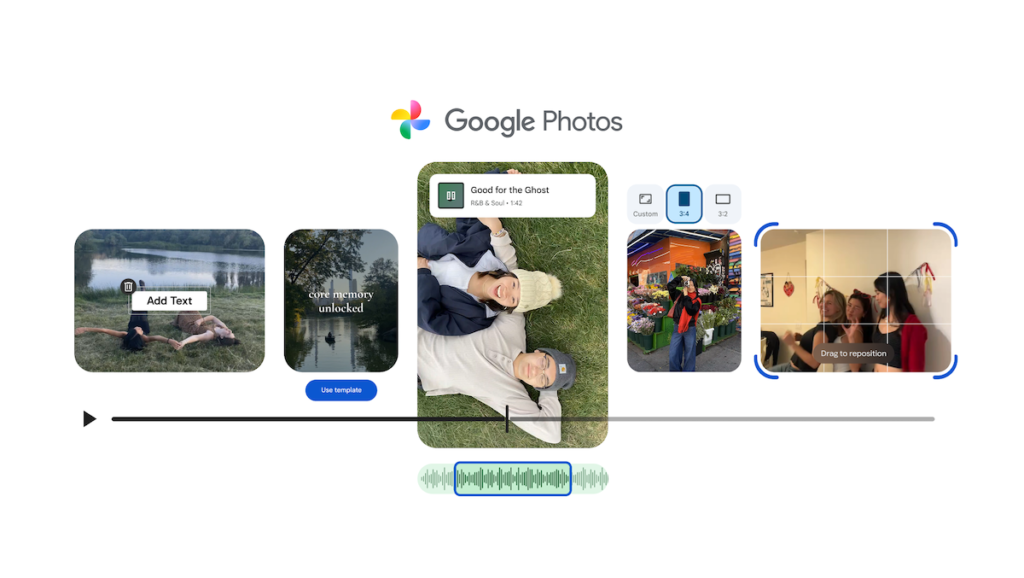
New, specialized templates are currently reaching Android devices, offering preset music and text configurations. These templates automatically sync video cuts to the beat of the music, creating a rhythmic flow for chosen photos and clips. Key customization options for these reels include:
- Access to an expanded music library for finding the perfect soundtrack.
- Custom text overlays, including new fonts, colors, and background options for Android users.
A Redesigned Editing Interface
Beyond automated reels, Google is deploying a completely redesigned video editor for both Android and iOS. This interface is now the default tool for Android users and introduces two major structural changes:

The new editor prioritizes a “universal timeline,” which consolidates all video clips and media elements into a single, accessible view. This is complemented by an “adaptive canvas” that dynamically shifts the editing interface to suit the specific requirements of the project at hand.
Additionally, the update enables users to integrate music and text directly into individual video clips, offering more granular control over short-form content creation within the app.