
How to Disable Instagram’s Instants and Undo Sent Photos
Instagram has rolled out a new feature dubbed “Instants,” aimed at facilitating the sharing of ephemeral, authentic photos. However, the update has triggered frustration among users who have inadvertently sent images to their entire contact list due to the tool’s aggressive automatic-sharing design.
Upon opening the Instants section—accessible via the photo stack icon in the bottom-right of the inbox—the app provides a brief tutorial explaining that these images vanish after viewing, lack a viewer list, and keep replies private. The primary point of confusion lies in the camera interface: by default, the shutter button sends captured images to your entire “Friends” list unless manually toggled to “Close Friends” beforehand.
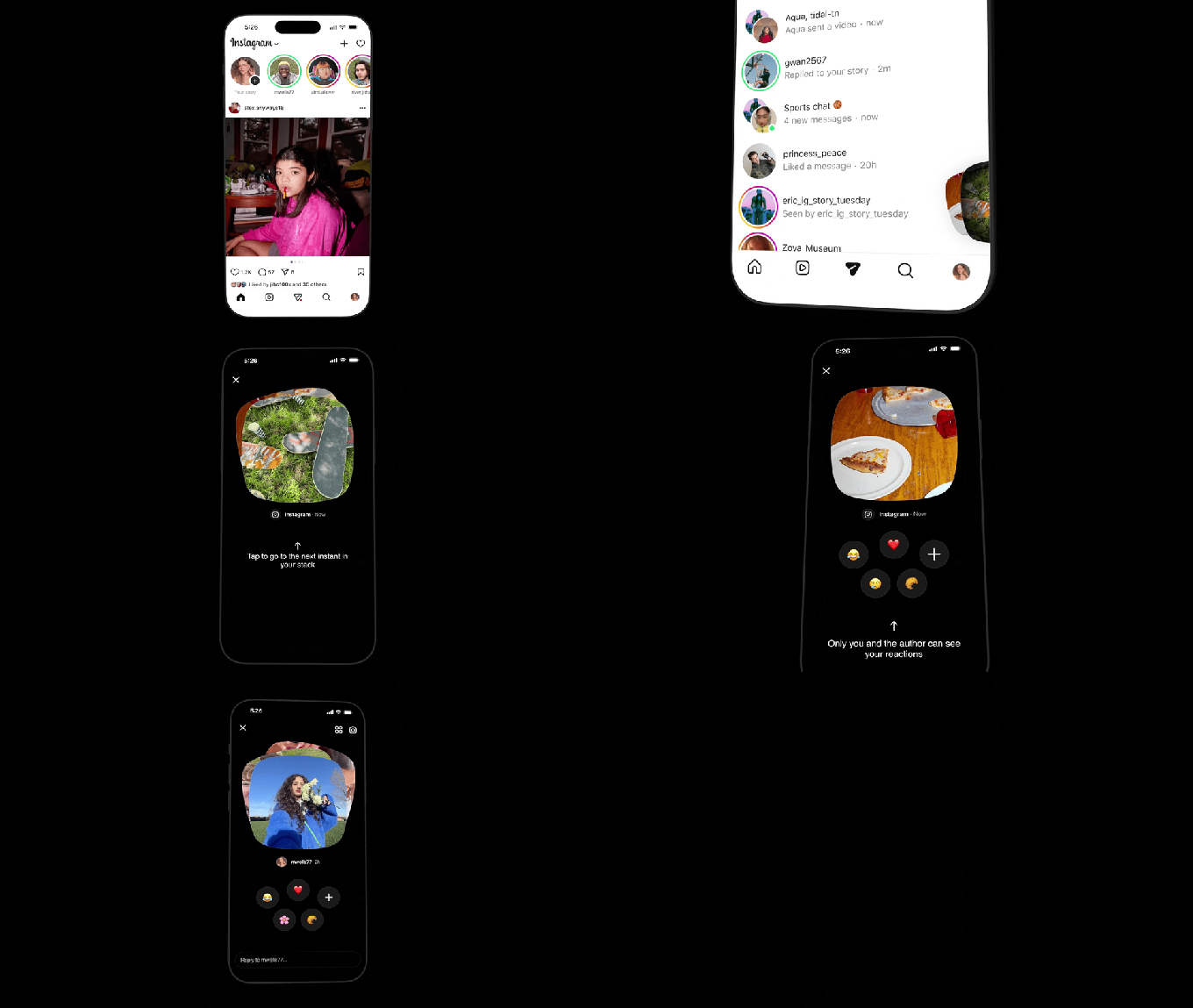
Because the app does not explicitly warn users that a single tap triggers an immediate broadcast, many have found themselves sharing content unintentionally. While Meta includes an “Undo” mechanism, the jarring nature of the experience often causes users to miss it, leading to privacy concerns for those accustomed to Instagram’s typical curated posting workflow.
How to disable Instants
If you prefer to remove this feature from your interface, you can disable it through your account settings:
- Navigate to your profile page.
- Tap the three-line menu icon in the top right corner.
- Select “Content Preferences.”
- Toggle the switch for “Hide Instants in Inbox.”
Enabling this setting removes the feature from your inbox and prevents you from receiving new Instants. Alternatively, if you prefer a temporary solution, you can long-press the Instants stack in your inbox and swipe right to stop receiving them for the time being.
How to retract a sent photo
If you have already sent a photo by mistake, you can still retract it before the recipient views the content:
- Immediate Undo: Look for the “Undo” button located directly beneath the shutter button immediately after sending.
- Archive Deletion: Access your archive by tapping the four-box icon in the top right of the camera screen. Deleting the image from here will effectively unsend it to any recipients who have not yet opened the message.