Spotify Adds Native Tool to Import Playlists From Rivals
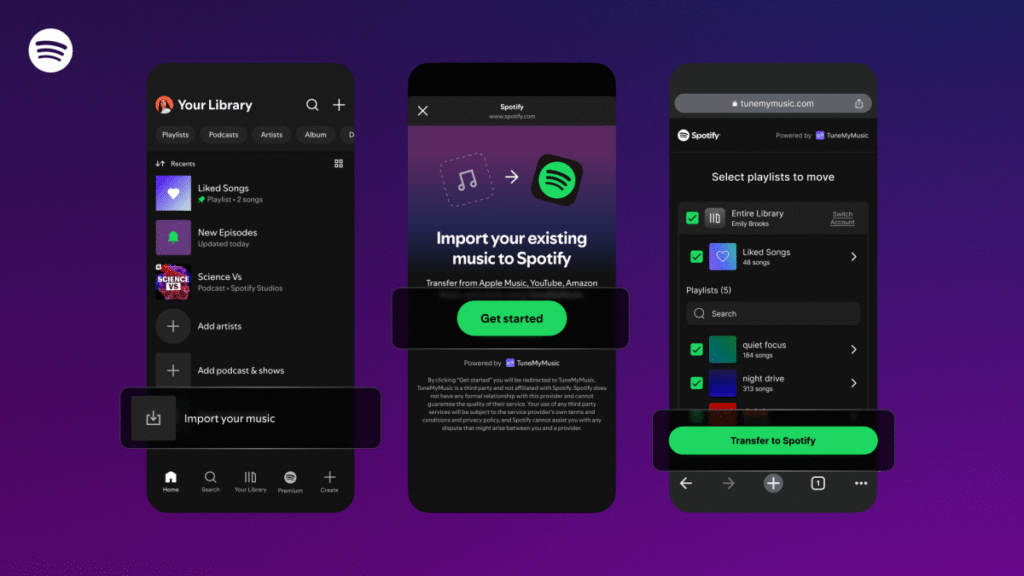
Spotify is lowering the barrier for users looking to switch streaming platforms by introducing a native integration with TuneMyMusic. The new feature, which began rolling out to all users this Thursday, allows for the direct transfer of existing playlists from competing services into a user’s Spotify library.
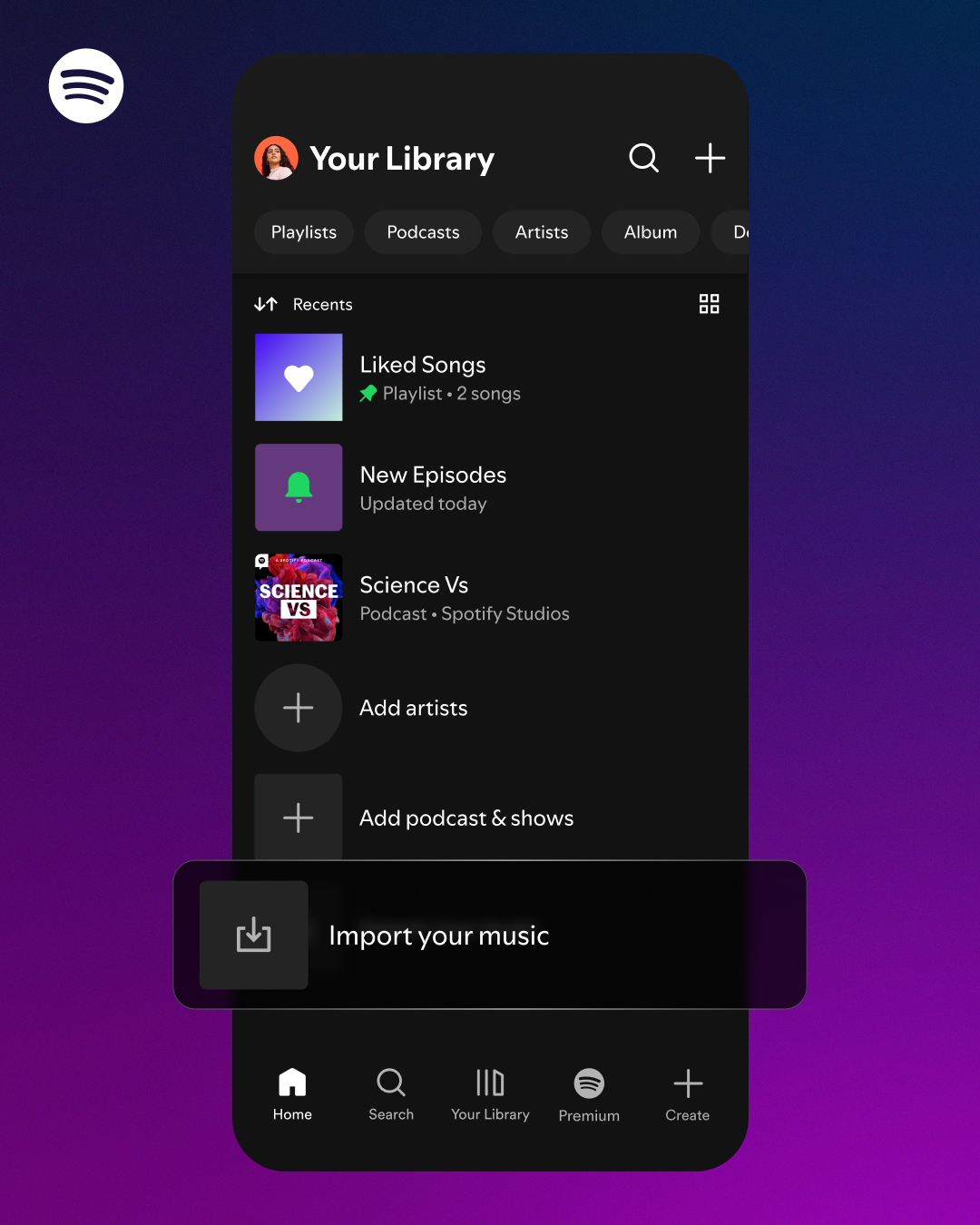
The functionality is accessible within the “Your Library” section of the Spotify mobile app. By scrolling to the bottom of the interface, users can select the “Import your music” option and follow the integrated prompts to link their accounts from other providers.
Supported Platforms and Mechanics
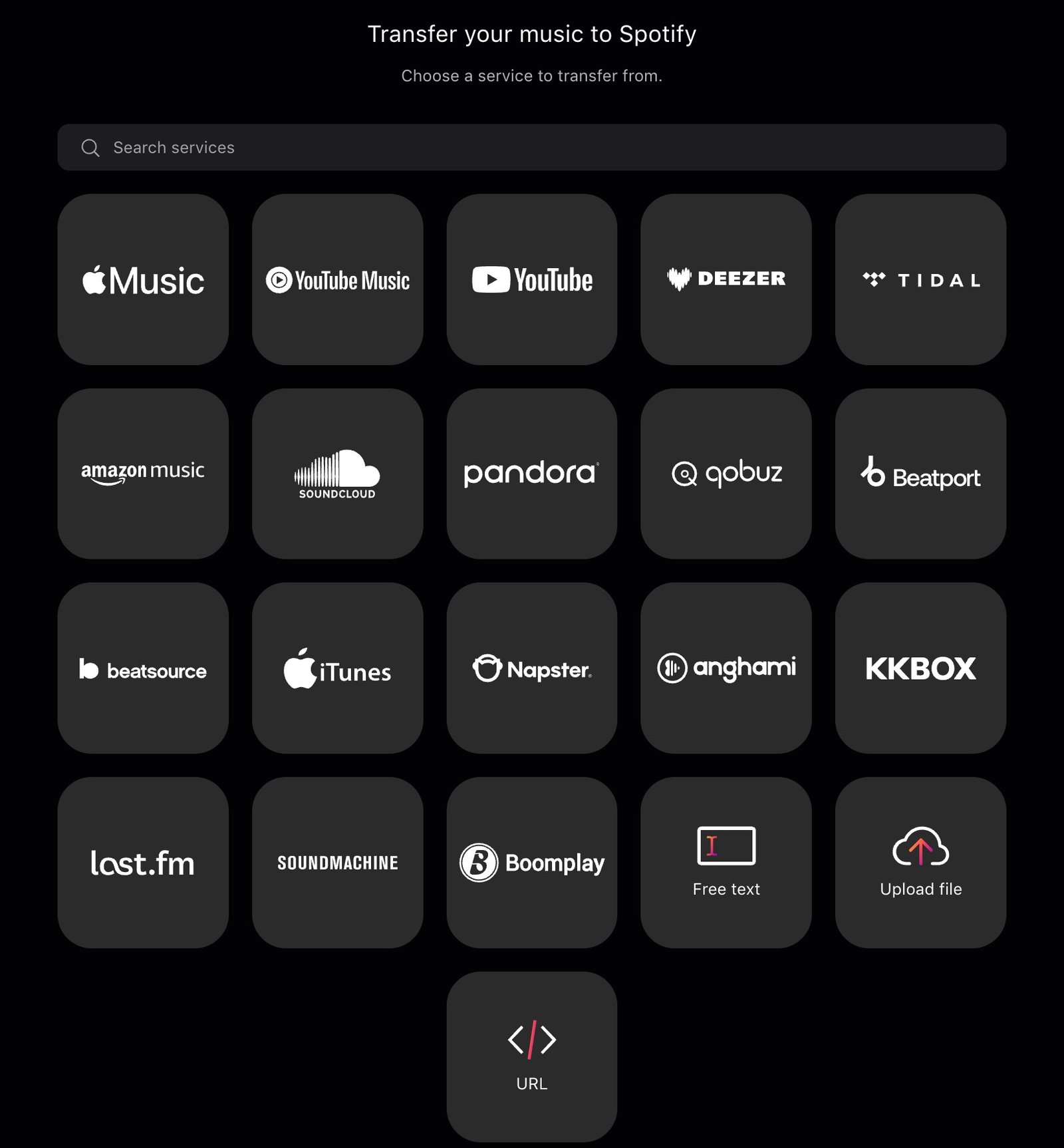
The import process creates a copy of the selected playlists within Spotify, leaving the original content on the source platform untouched. At launch, the tool supports a wide array of streaming services, including:
- Apple Music
- Amazon Music
- Deezer
- Pandora
- SoundCloud
- YouTube Music
- And others
Industry Context and Competition
This move highlights the ongoing “streaming wars” and a growing emphasis on data portability. While standalone tools like TuneMyMusic traditionally limit free users to 500 tracks—requiring a paid subscription for unlimited transfers—integrating the service directly into the Spotify app removes friction for potential new subscribers.
Competitors have also moved to address this need. Apple Music offers a transfer feature built into the settings for iOS, iPadOS, and Android. Similarly, YouTube Music Premium allows subscribers to import playlists from other services. While the specific terms of the deal between Spotify and TuneMyMusic remain undisclosed, the partnership serves as a strategic play to capture users from rival ecosystems.