Festivitas brings holiday lights to iPhone and iPad
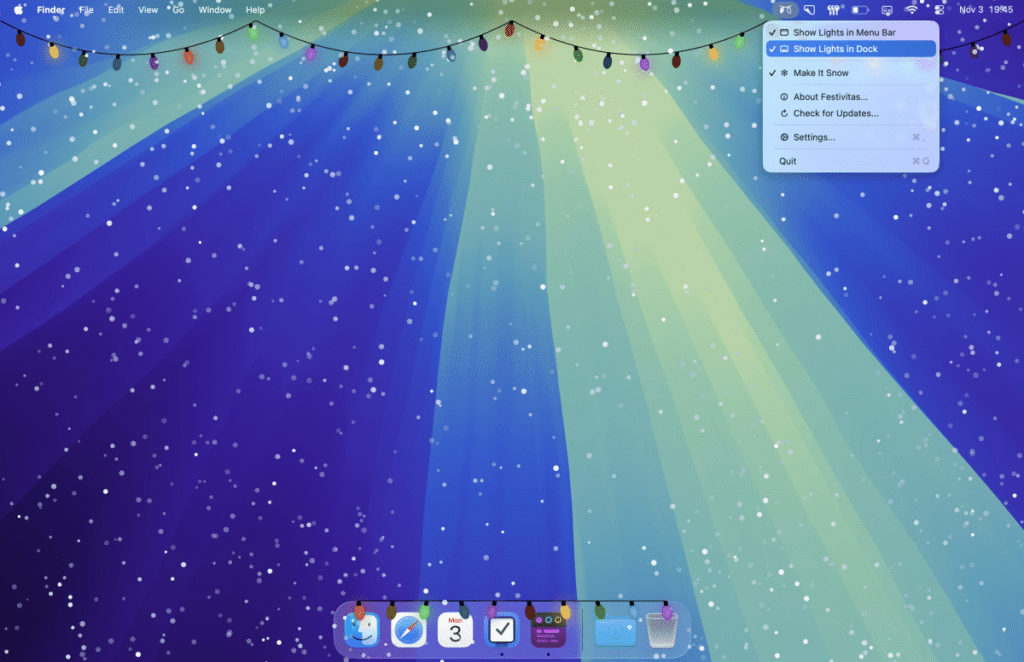
Apple users looking to add a seasonal aesthetic to their devices can now extend the reach of the popular Festivitas app. Previously limited to the macOS desktop, the indie software has received a significant update that introduces native support for iPhone and iPad, allowing for festive light displays across the entire Apple ecosystem.
Customizing the iOS experience
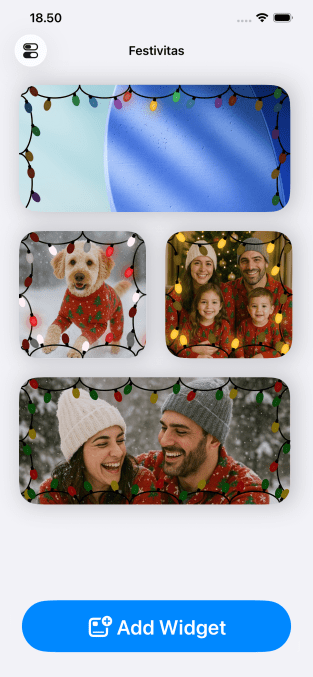
On iOS, the app utilizes widgets to place strings of holiday lights directly onto the Home Screen. Users have extensive control over the visual presentation, including:
- Transparency: Options to make widgets blend seamlessly with existing wallpapers.
- Photo Integration: The ability to frame personal photos or custom images within the light strings.
- Design Controls: Adjustments for cable thickness, drop width, and individual light spacing.
- Color Palettes: Access to curated themes like “Candy Cane,” “Winter Snow,” and “Elf,” or the option to create custom color profiles.
Developer Simon Støvring opted for a flexible pricing model for the update. The app is free to download, with premium features available via a “pay what you want” structure, ranging from $3.99 to $9.99.

Beyond the holiday season
While holiday-themed, Festivitas includes features intended for year-round use. Users can swap the standard light bulbs for various shapes, such as hearts, stars, clovers, ghosts, or bats. There is even a specific “WWDC” bulb icon designed to celebrate Apple’s annual developer conference in June.
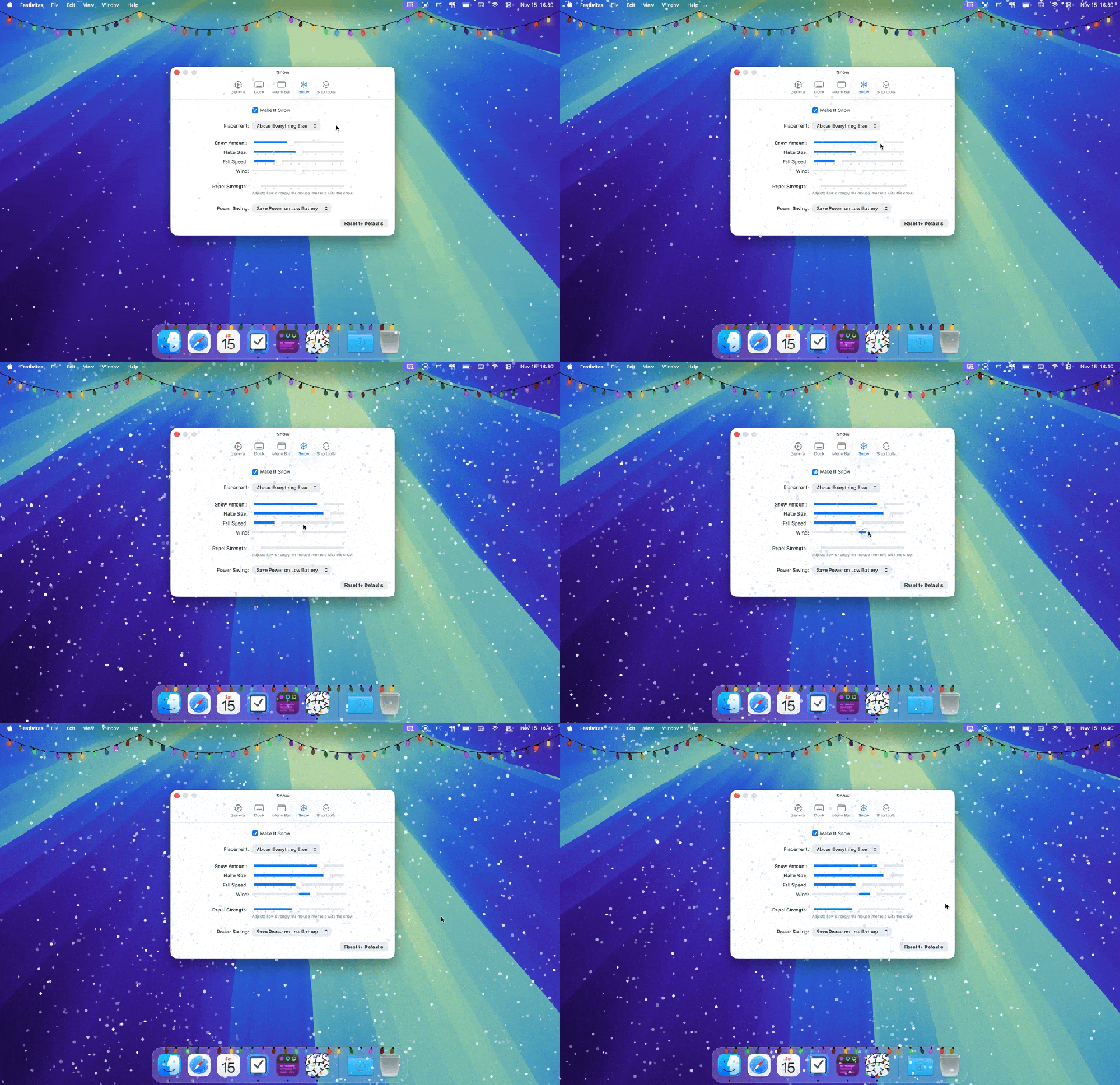
For Mac users, the update introduces a new snow effect. This feature allows snowflakes to drift across the desktop, with granular controls for fall speed, flake size, and wind intensity. The animation can be set to appear over all windows or restricted strictly to the background.
Interactive and automated features
The app incorporates interactive elements, such as lights that react to mouse movement—lifting or dropping based on the cursor’s path—and snow that is repelled by the pointer. For those who prefer a cleaner interface, these interactive behaviors can be toggled off.
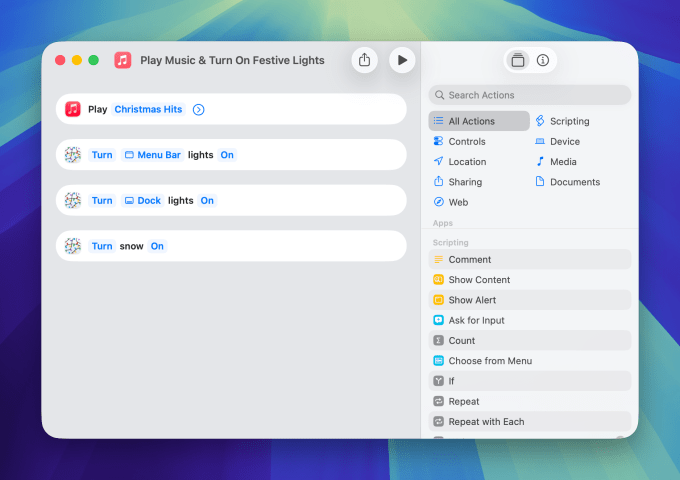
Automation enthusiasts can leverage Shortcuts integration to manage the effects. This allows users to trigger the snow based on local weather forecasts or synchronize the appearance of lights with specific music playlists.